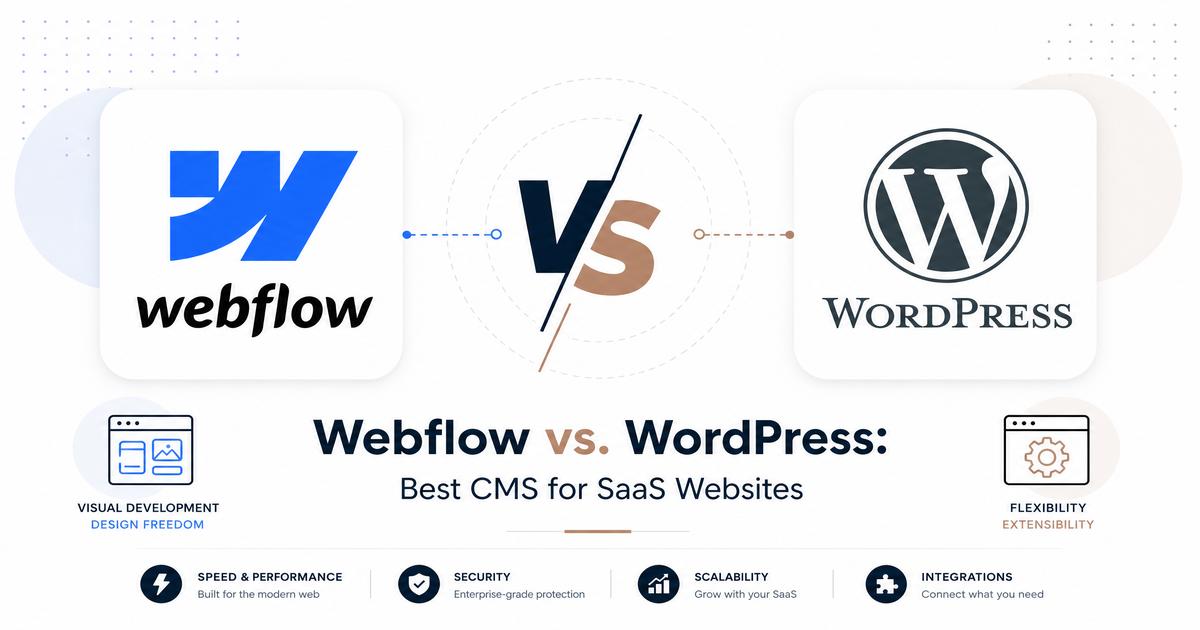
Webflow vs. WordPress: Best CMS for SaaS Websites
Webflow vs. WordPress: Best CMS for SaaS Websites
In the dynamic landscape of Software as a Service (SaaS), a robust and scalable website is not merely a digital storefront; it’s a critical component of the product itself. The choice of a Content Management System (CMS) can significantly impact a SaaS company’s ability to attract, convert, and retain customers. Two prominent platforms often enter the discussion for building powerful SaaS websites: Webflow and WordPress. Both offer distinct advantages and cater to different operational philosophies, making the decision a nuanced one.
This article aims to provide a comprehensive comparison of Webflow and WordPress, dissecting their features, strengths, and weaknesses specifically through the lens of a SaaS business. By examining aspects such as design flexibility, performance, SEO capabilities, security, and cost, we will equip SaaS founders and marketing teams with the insights needed to make an informed decision about which CMS best aligns with their strategic objectives.
What is Webflow?
Webflow is a powerful, cloud-based visual development platform that empowers designers to build responsive websites without writing a single line of code. It bridges the gap between design and development, offering a drag-and-drop interface that translates visual designs directly into clean, semantic HTML, CSS, and JavaScript. For SaaS companies, Webflow represents an opportunity to create highly customized, visually stunning, and performant marketing sites and landing pages with a high degree of control over the user experience.
Key Features of Webflow for SaaS Websites
- Visual Development Environment: Webflow’s Designer allows for pixel-perfect control over every element, enabling SaaS brands to craft unique and on-brand digital experiences without relying on developers for front-end changes.
- Customizability and Flexibility: Beyond templates, Webflow offers a blank canvas approach, allowing for intricate layouts, custom interactions, and dynamic content structures (CMS) tailored precisely to a SaaS product’s needs.
- Integrated Hosting and Performance: Webflow includes enterprise-grade hosting powered by Amazon Web Services (AWS) and Fastly CDN, ensuring high availability, fast load times, and automatic scaling to handle traffic spikes, which is crucial for SaaS marketing efforts.
- Robust SEO Tools: The platform provides built-in SEO features, including customizable meta titles and descriptions, clean semantic code, automatic sitemaps, and easy 301 redirects, all contributing to better search engine visibility for SaaS keywords.
Pros of Webflow for SaaS
- Design Freedom and Pixel-Perfect Control: SaaS companies can achieve highly unique and sophisticated designs that stand out, reflecting their innovative product.
- Built-in SEO Capabilities: Webflow’s clean code output and integrated SEO settings make it easier to optimize for search engines from the ground up.
- Scalability and Reliability: The managed hosting infrastructure ensures that the website can grow with the SaaS business without performance bottlenecks.
- Enhanced Security: As a closed system, Webflow handles security updates and patches, reducing the burden on SaaS teams and minimizing vulnerability risks.
Cons of Webflow for SaaS
- Steeper Learning Curve: While code-free, mastering Webflow’s Designer requires a significant time investment, especially for those unfamiliar with web design principles.
- Higher Pricing for Advanced Features: For larger SaaS operations requiring extensive CMS items, custom code, or higher traffic limits, Webflow’s subscription costs can be substantial.
- Platform Dependency: SaaS businesses are tied to the Webflow ecosystem, which, while robust, means less control over the underlying infrastructure compared to self-hosted solutions.
What is WordPress?
WordPress, initially launched as a blogging platform, has evolved into the world’s most popular open-source CMS, powering over 40% of all websites on the internet. Its strength lies in its flexibility, vast ecosystem of plugins and themes, and a large, active community. For SaaS companies, WordPress offers a highly customizable and extensible platform that can be adapted to various needs, from content marketing hubs to integrated product documentation portals.
Key Features of WordPress for SaaS Websites
- Open-Source Nature and Ecosystem: WordPress’s open-source foundation means unparalleled flexibility. Its extensive repository of plugins (over 50,000) and themes allows SaaS companies to add virtually any functionality, from advanced SEO tools to CRM integrations and marketing automation.
- Robust Content Management: WordPress excels at content creation and organization, making it ideal for SaaS businesses that rely heavily on blogging, knowledge bases, and other content marketing strategies to attract and educate their audience.
- Self-Hosting and Control: Unlike Webflow, WordPress can be self-hosted on a server of choice, giving SaaS companies complete control over their website’s environment, data, and technical configurations. Managed WordPress hosting options also exist to simplify maintenance.
- E-commerce Capabilities (WooCommerce): For SaaS companies that offer direct subscriptions or digital products, WooCommerce, a powerful and free WordPress plugin, transforms the website into a fully functional e-commerce platform.
Pros of WordPress for SaaS
- Cost-Effective: The core WordPress software is free. While hosting and premium themes/plugins incur costs, it can often be more budget-friendly than proprietary platforms, especially for startups.
- Extensive Plugin Library: The sheer volume of plugins means SaaS companies can easily extend functionality for lead generation, analytics, customer support, and more, often without custom development.
- Large Community Support: A massive global community provides abundant resources, tutorials, and forums, making it easier to find solutions to problems and hire skilled developers.
- Ownership and Control: Self-hosting WordPress grants full ownership of the website’s data and infrastructure, offering maximum flexibility and avoiding vendor lock-in.
Cons of WordPress for SaaS
- Security Vulnerabilities: Due to its popularity and reliance on third-party plugins and themes, WordPress websites can be more susceptible to security breaches if not properly maintained and secured.
- Performance Optimization Complexity: Achieving optimal performance (speed, scalability) often requires careful selection of hosting, themes, and plugins, along with ongoing optimization efforts, which can be technically demanding.
- Maintenance and Updates: Regular updates for the core software, themes, and plugins are essential for security and functionality but require consistent attention and can sometimes lead to compatibility issues.
- Can Become Bloated: Over-reliance on numerous plugins can lead to a
bloated website, impacting performance and increasing maintenance complexity.
Direct Comparison: Webflow vs. WordPress for SaaS
To truly understand which CMS is superior for a SaaS website, a direct comparison across critical operational and strategic dimensions is essential.
Ease of Use & Learning Curve
Webflow: Offers a visual canvas that allows designers to build and customize websites with precision. While it eliminates coding, its interface is sophisticated and requires an understanding of web design principles (like the box model, CSS properties). For those new to web design, the learning curve can be steep, but once mastered, it provides unparalleled creative control.
WordPress: Generally considered easier to get started with, especially for content creators. Its block editor (Gutenberg) simplifies content entry. However, achieving advanced customizations, unique designs, or integrating complex functionalities often requires delving into themes, plugins, and potentially custom code, which can be challenging for non-technical users.
Design Flexibility & Customization
Webflow: This is where Webflow truly shines. It provides a blank canvas and a powerful visual designer that allows for complete creative freedom. SaaS companies can craft bespoke designs, intricate animations, and responsive layouts without limitations, ensuring their brand identity is perfectly reflected.
WordPress: While highly customizable, WordPress’s design flexibility often depends on the chosen theme and page builders (e.g., Elementor, Divi). While these tools offer extensive options, they can sometimes impose structural limitations or add unnecessary code. Achieving a truly unique, pixel-perfect design often requires significant custom development.
SEO Capabilities
Webflow: Boasts excellent built-in SEO features. It generates clean, semantic code, allows for easy customization of meta titles, descriptions, and alt tags, and handles automatic sitemaps and 301 redirects. Its fast hosting also contributes positively to search engine rankings.
WordPress: With powerful plugins like Yoast SEO or Rank Math, WordPress can be incredibly SEO-friendly. These plugins offer comprehensive tools for on-page optimization, technical SEO, and content analysis. However, without proper configuration and optimization, a WordPress site can suffer from performance issues or code bloat that negatively impacts SEO.
Performance & Scalability
Webflow: Websites hosted on Webflow benefit from its optimized infrastructure, including a global CDN and fast servers. This generally results in excellent loading speeds and high reliability, which are critical for user experience and SEO. Webflow is designed to scale effortlessly with increased traffic.
WordPress: Performance and scalability in WordPress are highly dependent on several factors: the quality of hosting, the efficiency of the theme, the number and quality of plugins, and ongoing optimization efforts (caching, image optimization, database cleanup). While it can be highly performant, achieving this often requires technical expertise and continuous management.
Security
Webflow: As a managed platform, Webflow handles all security updates, SSL certificates, and infrastructure protection. This significantly reduces the security burden on SaaS teams, offering a more secure and hassle-free environment.
WordPress: Due to its open-source nature and reliance on third-party components, WordPress requires proactive security management. This includes regular updates of core, themes, and plugins, strong password policies, security plugins, and potentially a web application firewall (WAF). Neglecting these can lead to vulnerabilities and breaches.
Cost
Webflow: Operates on a subscription model, with pricing tiers based on features, CMS items, and traffic. While the base plans can be affordable, costs can escalate for larger, more complex SaaS websites requiring advanced functionalities or higher bandwidth.
WordPress: The core software is free. However, costs accumulate from hosting (which can range from shared to dedicated/managed solutions), premium themes, and paid plugins. For a highly customized and performant SaaS website, the total cost of ownership for WordPress can sometimes rival or even exceed Webflow, especially when factoring in development and maintenance resources.
Integrations & Ecosystem
Webflow: Offers native integrations with popular marketing and analytics tools, and its API allows for custom integrations. For broader connectivity, it often relies on tools like Zapier to connect with various SaaS applications.
WordPress: Boasts an unparalleled ecosystem of plugins that provide direct integrations with almost any third-party service imaginable, from CRM systems and email marketing platforms to analytics tools and payment gateways. This vast library often means a ready-made solution for almost any integration need.
Which is Best for Your SaaS Website?
The choice between Webflow and WordPress ultimately hinges on your SaaS company’s specific priorities, resources, and long-term vision. There isn’t a universally
correct answer, but rather a best fit based on your unique circumstances.
When to Choose Webflow for Your SaaS Website:
- Design-Centric Approach: If your SaaS brand places a premium on unique, cutting-edge design, intricate animations, and a highly polished visual experience to differentiate itself.
- Marketing-Focused Site: For SaaS companies whose primary website function is lead generation through compelling landing pages, marketing campaigns, and a strong brand presence.
- Lean Development Team: If your team has strong designers but limited front-end developers, Webflow allows designers to take ownership of the website without constant developer intervention.
- Managed Hosting & Security: If you prefer a hands-off approach to hosting, security updates, and performance optimization, allowing your team to focus solely on content and marketing.
When to Choose WordPress for Your SaaS Website:
- Content-Heavy Strategy: If your SaaS relies heavily on content marketing, blogging, knowledge bases, and extensive documentation to educate and engage your audience.
- Budget Sensitivity: For startups or companies with tighter budgets, WordPress can offer a more cost-effective entry point, especially with shared or optimized managed hosting.
- Extensive Integrations: If your SaaS requires deep and varied integrations with a wide array of third-party tools (CRM, marketing automation, support systems) where a plugin-based solution is advantageous.
- Technical Control & Ownership: If your team has the technical expertise and prefers full control over the server environment, code, and data, or requires specific custom functionalities that are easier to implement in an open-source environment.
Conclusion
Both Webflow and WordPress are powerful CMS platforms capable of supporting robust SaaS websites, but they cater to different philosophies and operational needs. Webflow offers unparalleled design freedom, managed performance, and enhanced security, making it ideal for design-led SaaS companies seeking a highly polished, marketing-focused online presence with less technical overhead.
WordPress, with its open-source flexibility, vast ecosystem, and cost-effectiveness, remains a formidable choice for content-rich SaaS websites that prioritize extensive integrations and full ownership. Its adaptability allows for a wide range of functionalities, provided there is a commitment to ongoing maintenance and security.
Ultimately, the
decision between Webflow and WordPress for your SaaS website should be driven by a clear understanding of your team’s technical capabilities, design aspirations, budget constraints, and the specific role your website plays in your overall business strategy. Carefully evaluate these factors to select the CMS that will best empower your SaaS to thrive in a competitive digital landscape.
Ready to build your SaaS website? Explore both Webflow and WordPress to see which platform aligns best with your vision and resources.