ClickUp vs Linear for SaaS Product Roadmaps: Which Tool Works Better?
ClickUp vs Linear for SaaS Product Roadmaps: Which Tool Works Better?
Modern software-as-a-service organizations operate in fast-paced environments where alignment between high-level strategic planning and engineering execution is essential for growth. Product roadmaps serve as the foundational bridge connecting executive vision, customer feedback, and feature development. Selecting the right project management platform to house and execute these roadmaps directly influences release velocity, cross-functional transparency, and overall product quality. As product teams scale from early-stage startups to mature enterprises, the debate between flexible, all-in-one workspaces and streamlined, developer-centric issue trackers becomes increasingly critical for operational efficiency.
The two platforms dominating discussions among modern SaaS product leaders are ClickUp and Linear. ClickUp positions itself as a comprehensive productivity super-app designed to consolidate company-wide workflows, documentation, time tracking, and multi-layered roadmapping into a single environment. Conversely, Linear focuses on exceptional performance, keyboard-driven navigation, and tailored issue tracking built specifically to support high-velocity software engineering and product development teams. Understanding the architectural differences, planning capabilities, and workflow philosophies of both solutions allows product management executives to make informed infrastructure decisions aligned with their specific organizational maturity and scaling trajectory.
Architectural Philosophies and User Experience
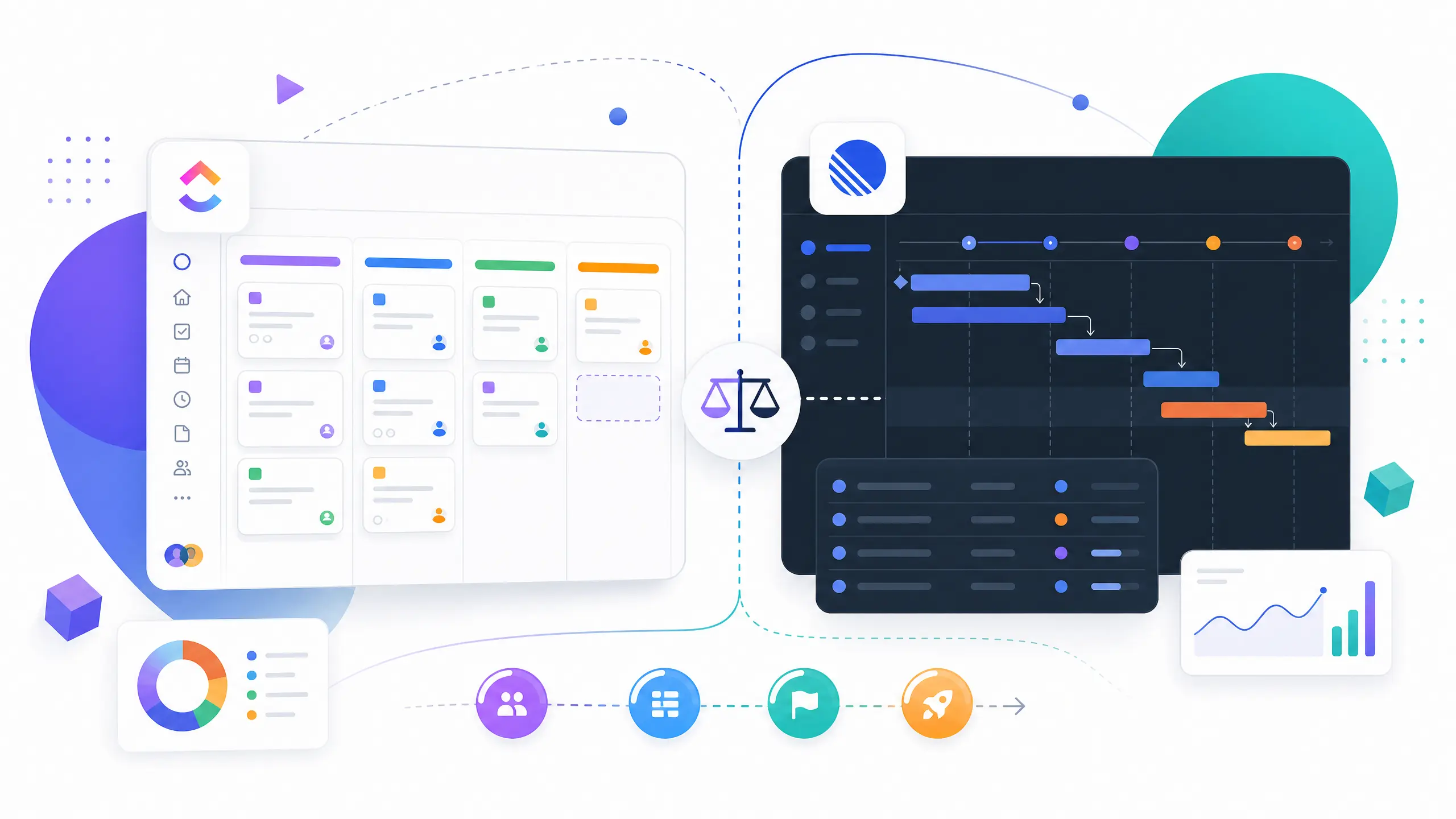
Evaluating ClickUp and Linear requires examining their core architectural philosophies regarding how work is structured, visualized, and executed across distributed teams. ClickUp is built on an infinitely customizable hierarchy comprising workspaces, spaces, folders, lists, tasks, and subtasks. This structural flexibility allows product teams to tailor every aspect of their environment to mirror complex cross-functional processes involving marketing, customer success, and executive leadership. Users can toggle between more than ten distinct views—including lists, boards, Gantt charts, calendars, and mind maps—within the same project container, ensuring that different stakeholders can consume roadmap data in the format that best suits their analytical requirements.
In stark contrast, Linear adopts a highly opinionated, streamlined approach centered around speed, minimalism, and the developer workflow. Linear organizes work around teams, projects, and cycles rather than infinite nested hierarchies, deliberately reducing administrative overhead and configuration fatigue. Its interface is engineered for lightning-fast responsiveness, featuring robust keyboard shortcuts that enable engineers and product managers to create issues, update statuses, and filter views without lifting their hands from the keyboard. For SaaS companies seeking to minimize the time spent managing project management software itself, Linear provides an uncluttered environment that keeps teams focused purely on shipping product increments.
Roadmap Planning and Strategic Alignment
Strategic roadmap planning demands robust capabilities for defining milestones, sequencing initiatives, and communicating long-term product vision across internal and external stakeholders. ClickUp approaches roadmap management through specialized views such as Gantt charts and dedicated dashboard widgets that aggregate progress across multiple portfolios and spaces. Product leaders can map out high-level epics, connect dependent tasks across different departments, and visualize timelines against fixed calendar dates. This makes ClickUp particularly advantageous for SaaS organizations operating hybrid business models where product roadmaps must tightly synchronize with go-to-market launches and marketing campaigns.
Linear handles strategic planning through initiatives and projects designed to keep engineering teams aligned with product strategy without imposing excessive bureaucratic layers. Linear projects group related issues together and track progress via automated scope velocity and burndown metrics. While Linear provides less visual customizability for traditional Gantt-style timeline planning compared to its competitor, its project updates and milestone tracking features encourage concise, asynchronous communication among product managers and developers. This streamlined approach prevents roadmaps from becoming outdated static documents, ensuring that strategic priorities adapt fluidly to incoming customer feedback and shifting engineering capacity.
Issue Tracking, Sprints, and Engineering Workflows
While high-level roadmaps define where a product is heading, granular issue tracking and sprint management dictate how efficiently engineering teams arrive at those milestones. Linear was built from the ground up to excel in software engineering environments practicing agile methodologies, Kanban, or cyclical development. Its issue tracking engine supports rich markdown formatting, git branch integrations, automated pull request workflows, and instant issue linking. Cycles in Linear function as streamlined sprints, complete with automated rollover of unfinished work and velocity analytics that help engineering managers forecast future output accurately without manual data entry.
ClickUp offers powerful task management and sprint capabilities that can be customized to support virtually any agile or waterfall framework imaginable. With ClickUp, teams can assign multiple assignees, set custom field types, calculate estimated points, and configure complex automation recipes that trigger status updates or reassign tasks based on specific conditional logic. However, this vast array of configuration options can introduce complexity that requires careful governance to prevent inconsistent usage across different engineering squads. Organizations that require deep, highly tailored task attributes and cross-departmental task dependencies will find ClickUp’s engineering modules highly adaptable.
| Evaluation Criterion | ClickUp | Linear |
|---|---|---|
| Primary Architecture | Infinitely customizable hierarchical workspace | Streamlined, opinionated software development hub |
| Roadmap Visualization | Gantt charts, mind maps, portfolios, and custom dashboards | Project milestones, automated progress bars, and update logs |
| Engineering & Sprints | Advanced custom fields, multi-assignees, and complex automation | High-performance cycles, git integrations, and keyboard shortcuts |
| User Interface Speed | Feature-rich interface with heavy modular loading | Lightning-fast, keyboard-driven interface |
| Best Suited For | Cross-functional SaaS companies requiring unified company workspaces | Engineering-driven product teams prioritizing execution velocity |
Integrations and Ecosystem Extensibility
No project management tool exists in isolation within a modern SaaS technology stack; seamless integrations with developer tooling, customer support platforms, and communication suites are vital. Linear provides native integrations with essential developer infrastructure, including GitHub, GitLab, Sentry, Figma, and Slack, ensuring that bug reports, design assets, and code commits flow directly into active project cycles with minimal manual intervention. Its robust GraphQL API and webhooks enable engineering operations teams to build custom internal tooling and automation extensions tailored to their exact workflow requirements.
ClickUp boasts an extensive application marketplace featuring hundreds of native integrations with major SaaS platforms, ranging from CRM systems and customer support desks to cloud storage providers and continuous integration pipelines. Furthermore, ClickUp offers native time tracking and document editing tools directly within the platform, reducing the need for standalone subscriptions. For SaaS organizations looking to consolidate their software vendor footprint and minimize context switching across multiple standalone applications, ClickUp’s comprehensive ecosystem delivery offers substantial operational consolidation.
Pricing Structure and Total Cost of Ownership
Financial evaluation of project management infrastructure involves analyzing tier structures, per-user license fees, and administrative overhead costs. Both vendors operate tiered subscription models with pricing scales adjusted for feature depth, security controls, and support levels. ClickUp structures its plans across free tiers, unlimited tiers for small teams, business tiers for growing organizations, and enterprise packages with advanced security features. Linear offers similar tiering, separating standard collaborative features from enterprise-grade administration, single sign-on, and dedicated customer support.
Editorial note: SaaS pricing models, feature gates, and tier limits are subject to change by vendors over time. Product procurement teams should check the vendor’s current pricing page directly to verify active rates, minimum seat requirements, and annual discount structures before finalizing procurement contracts.
When assessing total cost of ownership, organizations must account for implementation time, user adoption rates, and administrative maintenance overhead. ClickUp often requires dedicated internal configuration management or external consulting to establish clean workspace hierarchies and prevent user friction. Linear generally incurs minimal administrative overhead due to its opinionated structure, resulting in rapid onboarding for engineering talent and lower indirect labor costs associated with tool maintenance.
Implementation Framework and How to Choose
Choosing between ClickUp and Linear depends on a structured evaluation of your organization’s team composition, workflow complexity, and primary operational bottlenecks. SaaS companies should execute a methodical selection framework before committing to either platform:
- Audit Organizational Stakeholders: Map out who will use the tool daily. If primary users are software engineers and product managers, prioritize execution velocity. If the workspace must unite marketing, sales, customer success, and engineering, prioritize cross-functional collaboration.
- Evaluate Workflow Complexity: Determine whether your product development processes require rigid agile cycles or flexible, multi-departmental project portfolios with diverse tracking views.
- Assess Onboarding Capacity: Consider your internal bandwidth for software administration. Choose opinionated tools like Linear for fast adoption, or invest in ClickUp if your team possesses the administrative bandwidth to tailor an all-in-one workspace.
- Run a Time-Boxed Pilot: Deploy both platforms with a single cross-functional product squad for a two-week sprint cycle to evaluate real-world engagement, reporting clarity, and integration smoothness.
Frequently Asked Questions
Can Linear replace traditional product roadmapping tools like Aha! or Productboard?
Linear is well-suited for engineering-focused milestone and project tracking, but it lacks advanced product discovery features such as customer feedback aggregation, portal voting, and complex scoring matrices found in dedicated roadmapping platforms. SaaS teams with heavy customer feedback loops often pair Linear with a dedicated discovery tool.
How does ClickUp manage performance when handling large-scale SaaS product backlogs?
ClickUp provides robust filtering, pagination, and archiving capabilities to manage extensive backlogs. However, because of its broad feature set and modular architecture, large organizations must establish strict governance regarding custom fields and view creation to maintain optimal page load speeds across large workspaces.
Is it possible to migrate existing issue data from Jira into Linear or ClickUp?
Yes, both Linear and ClickUp provide native migration assistants and robust API ingestion tools designed to import issues, epics, attachments, and user accounts directly from Jira, Asana, and CSV backups, minimizing disruption during platform transitions.
Conclusion
Both ClickUp and Linear offer world-class capabilities for SaaS product teams, yet they serve fundamentally different organizational cultures and operational priorities. ClickUp excels as an all-in-one productivity powerhouse that bridges product development with company-wide departmental workflows, offering unmatched visual customizability and administrative depth. Linear shines as a high-performance, developer-first engineering workspace that eliminates bureaucracy and accelerates release velocity through exceptional speed and minimalist design. By carefully assessing team composition, strategic roadmapping needs, and internal administrative capacity, SaaS product leaders can select the platform that best drives long-term execution success.