Best Backup Solutions for SaaS Data Protection in 2026
Introduction
In the rapidly evolving digital landscape of 2026, Software as a Service (SaaS) applications have become the backbone of modern business operations. From customer relationship management (CRM) to enterprise resource planning (ERP) and collaboration tools, organizations heavily rely on SaaS platforms for their daily workflows. While SaaS offers unparalleled convenience, scalability, and accessibility, it also introduces a critical responsibility: data protection. Many businesses mistakenly believe that their SaaS providers fully protect their data, but this is often not the case due to the shared responsibility model. This article will delve into the importance of robust SaaS backup solutions and present a comprehensive list of the top providers in 2026 to help safeguard your invaluable business data.
Understanding SaaS Backup and Its Critical Importance
Software as a Service (SaaS) backup is the process of duplicating and storing data from cloud-based SaaS applications to a separate, secure location. This is crucial because SaaS providers typically operate under a shared responsibility model [1]. This model dictates that while the provider is responsible for the uptime, infrastructure, and availability of the service, the customer (you) is ultimately responsible for the security and protection of their own data within that service. This means that data loss due to accidental deletion, user error, malicious attacks (like ransomware), or even sync errors is often the customer’s responsibility.
Without a dedicated SaaS backup solution, businesses face significant risks, including:
- Data Loss: Accidental deletions by employees, data corruption, or system failures can lead to irreversible data loss.
- Cybersecurity Threats: SaaS applications are prime targets for ransomware and other cyberattacks. A robust backup provides a clean recovery point.
- Compliance and Regulatory Requirements: Many industries have strict data retention and protection regulations (e.g., GDPR, HIPAA). Non-compliance can result in hefty fines.
- Business Continuity: Data loss can lead to prolonged downtime, impacting productivity, customer service, and revenue.
- Insider Threats: Malicious or unintentional actions by employees can compromise critical data.
Key Features to Look for in a SaaS Backup Solution
When evaluating SaaS backup solutions, consider the following essential features to ensure comprehensive data protection:
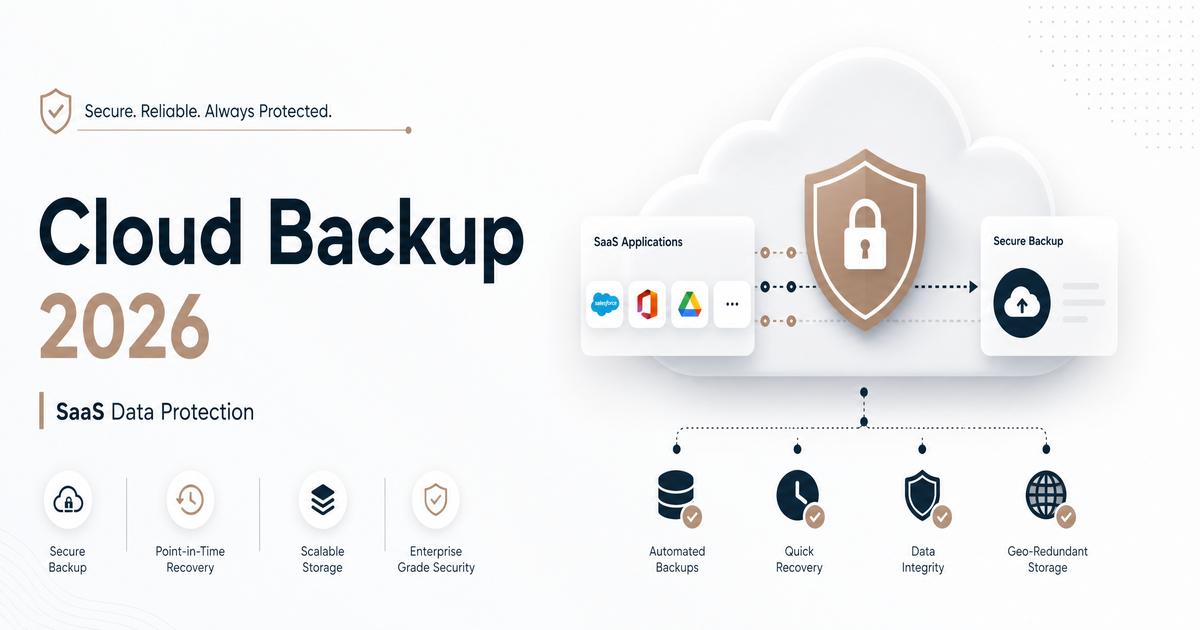
Automated Backups
Automated scheduling ensures that data is consistently backed up without manual intervention, reducing human error and ensuring up-to-date recovery points.
Granular Restore Options
The ability to restore individual files, folders, or specific data points rather than an entire dataset, which is vital for quick and precise recovery.
Flexible Storage Options
Support for various storage locations, including cloud-to-cloud backup, allows businesses to choose options that meet their compliance and data sovereignty requirements.
Metadata Backup
Crucial for complex SaaS applications (like Salesforce), metadata backup ensures that customizations, relationships, and configurations are also protected and recoverable.
Customizable Retention Policies
Allows businesses to define how long backups are kept, aligning with regulatory compliance and internal data governance policies.
Point-in-Time Recovery
Enables restoration of data to a specific moment before an incident (e.g., ransomware attack or accidental deletion), minimizing data loss.
SLA Guarantees
Service Level Agreements (SLAs) from providers outline performance metrics such as uptime, support response times, and availability, ensuring reliability.
Unified SaaS Solution
A single platform that can protect multiple SaaS applications and other workloads simplifies management, reduces vendor sprawl, and streamlines training.
Top 7 Best Backup Solutions for SaaS Data Protection in 2026
Here are some of the leading SaaS backup solutions, offering robust features for data protection:
1. HYCU
HYCU is a Data Protection-as-a-Service (DPaaS) platform known for its comprehensive, integrated backup and recovery across on-premises, public cloud, and SaaS environments. It offers agentless, cloud-native architecture, making it highly scalable and easy to deploy.
- Key Features: Modern, cloud-native architecture; automated backup and instant, granular restore; flexible storage options; unlimited retention; immutable, air-gapped backups for ransomware protection.
- Advantages: Simplified management, broad workload support, strong ransomware defense, and flexible deployment.
- Pricing Indication: Starts at approximately $2.25/user/month for Microsoft 365, $4/user/month for Atlassian Suite and DevOps Suite [2].
2. Acronis Cyber Protect
Acronis Cyber Protect is a comprehensive cyber protection solution that integrates backup, disaster recovery, and cybersecurity. It offers full-image and file-level backup and recovery across over 20 platforms, with near-zero Recovery Point Objectives (RPOs) and Recovery Time Objectives (RTOs).
- Key Features: Integrated cyber protection (anti-malware, anti-ransomware); full-image and file-level backup; support for various databases; advanced file sync and share; cloud-to-cloud backup for Microsoft 365 and Google Workspace.
- Advantages: Holistic approach combining backup and security, high recovery speed, broad platform support.
- Pricing Indication: Licensing models vary (per device, per user, or storage-based). Microsoft 365 backup includes unlimited storage. Pricing for service providers is tiered based on commitment [3].
3. Barracuda Cloud-to-Cloud Backup
Barracuda offers a specialized cloud-to-cloud backup solution primarily for Microsoft 365 data, including Exchange, SharePoint, OneDrive, and Teams. It focuses on granular restoration and robust protection for these critical SaaS applications.
- Key Features: Cloud integration for scalable storage; offsite vaulting; inline deduplication; point-in-time retrieval; scheduled and on-demand backups.
- Advantages: Deep integration with Microsoft 365, unlimited storage and retention, strong focus on Microsoft ecosystem.
- Pricing Indication: Starts at approximately $5 per user/month, with pricing dependent on the plan, number of users, and contract duration [4].
4. Veeam Backup for Microsoft 365
Veeam is a market leader in Microsoft 365 backup, protecting over 25 million users. It provides reliable backup and rapid recovery for Exchange, SharePoint, OneDrive, Teams, and Entra ID, including data used by Microsoft Copilot and AI agents.
- Key Features: All-inclusive backup service with unlimited storage; customizable retention policies; built-in security and compliance; granular and flexible recovery; ransomware recovery capabilities.
- Advantages: Market-leading solution for Microsoft 365, unlimited storage, fast backups and restores, strong security features.
- Pricing Indication: Plans are priced per Microsoft 365 user per month, billed annually. Foundation plan at $2.63 USD/user/month, Advanced at $3.33 USD/user/month, and Premium at $7 USD/user/month [5].
5. Druva InSync
Druva is a comprehensive data protection platform supporting multiple SaaS applications like Microsoft 365, Salesforce, and Google Workspace. It emphasizes air-gapped storage, encryption, and data immutability to protect against various data loss scenarios.
- Key Features: Support for multiple SaaS applications; intuitive interface and quick deployment; accelerated eDiscovery and sensitive data governance; active security and compliance (SOC-2 Type-II, HIPAA); 256-bit AES encryption.
- Advantages: Strong security posture, broad SaaS application support, simplified management, compliance readiness.
- Pricing Indication: Offers Enterprise and Elite plans, with pricing tailored to business needs. Specific per-user pricing is not publicly listed but is sales-led [6].
6. OwnBackup
OwnBackup is a leading data protection platform specifically designed for SaaS platforms, with a strong focus on Salesforce. It provides comprehensive data security, compliance, and resilience for critical business data.
- Key Features: Automated daily backups and on-demand backups; proactive data monitoring with smart alerts; granular restore and point-in-time recovery options; sandbox seeding.
- Advantages: Deep expertise in Salesforce data protection, robust monitoring, and flexible recovery options.
- Pricing Indication: Employs a flexible pricing model that caters to different organization sizes and requirements. A Reddit thread indicated $6K/year for Sandbox and Production data backup [7].
7. MSP360 Managed Backup
MSP360 offers a cross-platform backup and disaster recovery solution for cloud, virtual, SaaS, and physical workloads. It is known for its ease of use and robust data protection for a wide range of platforms, including Microsoft 365 and Google Workspace.
- Key Features: “Bring Your Own Storage” option (AWS, Wasabi, Backblaze B2); centralized management portal; robust security protocols (two-factor authentication, immutable backups, SSL encryption); cross-platform support.
- Advantages: Flexibility in storage choice, centralized management, strong security features, broad platform compatibility.
- Pricing Indication: Pricing is typically based on the storage used and the number of protected endpoints, often tailored for MSPs.
How to Choose the Right SaaS Backup Solution
Selecting the ideal SaaS backup solution requires careful consideration of your organization’s specific needs and priorities:
- Recovery Point Objective (RPO) and Recovery Time Objective (RTO): Determine how much data you can afford to lose and how quickly you need to recover it. This will influence backup frequency and recovery capabilities.
- Security and Compliance: Ensure the solution meets industry-specific regulations and offers robust security features like encryption, access controls, and immutability.
- Ease of Use and Integration: A user-friendly interface and seamless integration with your existing SaaS applications can significantly streamline management.
- Scalability and Support: Choose a provider that can scale with your business growth and offers reliable customer support.
- Cost-Effectiveness: Evaluate the pricing model (per user, per GB, bundled) and ensure it aligns with your budget and long-term value.
Conclusion
In the dynamic digital landscape of 2026, protecting your SaaS data is not merely an option but a fundamental necessity for business resilience and continuity. The shared responsibility model places the onus of data protection squarely on the customer, making dedicated SaaS backup solutions indispensable. By understanding the critical features and evaluating the top providers like HYCU, Acronis, Barracuda, Veeam, Druva InSync, OwnBackup, and MSP360, organizations can make informed decisions to safeguard their invaluable data assets.
Invest in a robust SaaS backup solution today to ensure your business remains secure, compliant, and operational, no matter what challenges the future holds.
References
[1] Acronis. (2025, December 30). Best SaaS Backup Solution in 2026. https://www.acronis.com/en/blog/posts/saas-backup-solution/
[2] HYCU. (n.d.). Flexible pricing. https://www.hycu.com/pricing
[3] Acronis. (n.d.). Pricing and Licensing for Service Providers. https://www.acronis.com/en/products/cloud/cyber-protect/pricing/
[4] Barracuda. (n.d.). Barracuda Cloud-to-Cloud Backup: Plans. https://www.barracuda.com/products/data-protection/cloud-to-cloud-backup/plans
[5] Veeam. (n.d.). Backup for Microsoft 365. https://www.veeam.com/products/saas/backup-microsoft-office-365.html
[6] Druva. (n.d.). Productivity Data Pricing: Microsoft 365, Google Workspace, Endpoints. https://www.druva.com/products/data-security-cloud/pricing-plans/productivity-data-plans
[7] Reddit. (2024, April 24). Own Backup Pricing. https://www.reddit.com/r/salesforce/comments/1cbxu1c/own_backup_pricing/