
How to Migrate from Shopify to BigCommerce
How to Migrate from Shopify to BigCommerce
Migrating your e-commerce store from Shopify to BigCommerce can be a strategic move to leverage flexible features, reduce transaction fees, and scale your business more efficiently. Both Shopify and BigCommerce are powerful SaaS platforms, but understanding the migration process, key differences, and what to expect can make your transition smoother and more successful.
Introduction
Shopify is renowned for its user-friendly interface and extensive app ecosystem, making it a popular choice for many online retailers. However, BigCommerce offers advanced built-in features, better native SEO capabilities, and more scalability options, which appeal to businesses seeking growth without added app dependency.
This comprehensive guide walks you through the process of migrating from Shopify to BigCommerce, highlighting key features, pros and cons of each platform, pricing comparisons, and practical tips to ensure a seamless migration.
Key Features of Shopify and BigCommerce
Shopify Key Features
- Ease of Use: Intuitive drag-and-drop store builder with minimal technical knowledge required.
- App Ecosystem: Extensive marketplace with over 3,000 apps for marketing, inventory, and customer service.
- Payment Processing: Shopify Payments with integrated fraud analysis and multiple payment gateways.
- Multi-Channel Selling: Integration with social media, online marketplaces, and POS systems.
- 24/7 Support: Around-the-clock customer support via phone, chat, and email.
BigCommerce Key Features
- Built-in Features: Advanced SEO tools, product filtering, and multi-currency support without relying on apps.
- Scalability: Supports B2B and enterprise-level businesses with customizable APIs and integrations.
- No Transaction Fees: Unlike Shopify, BigCommerce does not charge transaction fees regardless of payment gateway.
- Multi-Channel Integration: Sell on Amazon, eBay, Facebook, and Google Shopping directly from the platform.
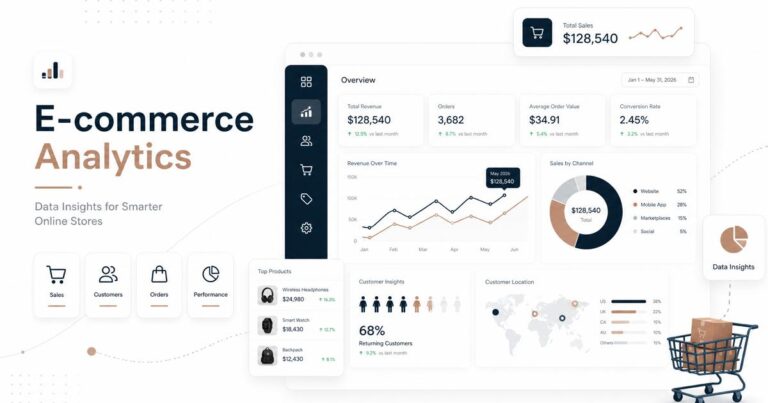
- Robust Analytics: Comprehensive dashboard with insights into sales, customers, and marketing campaigns.
Pros and Cons of Shopify and BigCommerce
Shopify Pros
- User-Friendly Interface: Easy setup and management for non-technical users.
- Extensive App Marketplace: Wide variety of third-party apps to extend functionality.
- Reliable Hosting: Secure, fast, and scalable hosting included.
- Strong Community: Large user base and support forums.
Shopify Cons
- Transaction Fees: Additional fees if not using Shopify Payments.
- Limited Built-In Features: Many capabilities require paid apps.
- Customization Restrictions: Theme and checkout customization can be limited.
BigCommerce Pros
- Comprehensive Built-In Features: Reduces dependency on third-party apps.
- No Transaction Fees: Cost savings on payment processing.
- Better SEO Capabilities: Advanced URL structure and metadata control.
- Flexible API: Easier integration with external systems and custom apps.
BigCommerce Cons
- Learning Curve: Slightly more complex interface for beginners.
- Annual Sales Limits: Plans have revenue caps, requiring plan upgrades as business grows.
- Fewer Themes: Smaller selection of themes compared to Shopify.
Steps to Migrate from Shopify to BigCommerce
Migrating your store involves transferring products, customers, orders, and content while minimizing downtime and data loss. Here’s a step-by-step approach:
1. Prepare Your BigCommerce Store
- Sign up for a BigCommerce account and select a plan that fits your business size.
- Choose and customize a BigCommerce theme that matches your brand.
- Configure payment gateways, shipping methods, taxes, and other settings.
2. Export Data from Shopify
- Export product listings, customer information, order history, and other relevant data in CSV format via Shopify admin.
- Backup your Shopify store data to prevent accidental loss.
3. Import Data into BigCommerce
- Use BigCommerce’s built-in import tools or third-party migration apps like Cart2Cart or LitExtension for automatic migration.
- Map Shopify fields to BigCommerce equivalents during import to maintain data accuracy.
4. Rebuild Store Design and Content
- Manually recreate pages, blog posts, and navigation menus.
- Test all links, images, and functionality to ensure proper migration.
5. Test Your New BigCommerce Store
- Place test orders to verify checkout process and payment gateways.
- Check site performance, mobile responsiveness, and SEO settings.
6. Update Domain and Launch
- Point your domain DNS records to BigCommerce servers.
- Set up 301 redirects from Shopify URLs to BigCommerce URLs to preserve SEO rankings.
- Monitor analytics and customer feedback post-launch.
Pricing Comparison: Shopify vs BigCommerce
| Plan | Shopify Monthly Price | BigCommerce Monthly Price | Key Features |
|---|---|---|---|
| Basic | $39 | $39 | Essential e-commerce features, unlimited products |
| Standard | $105 | $105 | Gift cards, professional reports, abandoned cart recovery |
| Advanced | $399 | $399 | Advanced reporting, third-party calculated shipping |
Note: Shopify charges additional transaction fees (0.5% – 2%) if not using Shopify Payments, whereas BigCommerce does not charge any transaction fees regardless of payment gateway.
Final Verdict
Migrating from Shopify to BigCommerce is a viable option for businesses looking for more built-in features, better SEO control, and reduced transaction fees. BigCommerce excels in scalability and cost-effectiveness for growing enterprises, especially those requiring B2B functionality or advanced integrations.
However, Shopify’s intuitive interface and vast app ecosystem remain attractive for smaller businesses or those prioritizing ease of use. The migration process requires careful planning, data backup, and testing to ensure a smooth transition without disrupting customer experience or SEO rankings.
In summary:
Frequently Asked Questions
What are the main differences in pricing between Shopify and BigCommerce?
Shopify charges a monthly fee plus transaction fees unless using Shopify Payments, while BigCommerce offers similar pricing tiers but includes more built-in features without additional transaction fees.
Can I migrate all my products and customer data from Shopify to BigCommerce easily?
Yes, BigCommerce supports importing product, customer, and order data through CSV files or third-party migration tools to streamline the transfer process.
Which platform offers better built-in SEO and marketing features for growing my online store?
BigCommerce generally provides more advanced built-in SEO tools and marketing integrations out-of-the-box compared to Shopify, which often relies on third-party apps.
- Choose Shopify if you want a simple, fast setup with a broad app marketplace and minimal technical complexity.
- Choose BigCommerce if you value comprehensive native features, no transaction fees, and scalability for larger or B2B-focused operations.
- Migrating requires exporting/importing data carefully, redesigning your storefront, and updating SEO settings to maintain search rankings.
By following the outlined migration steps and considering your business needs, you can successfully transition from Shopify to BigCommerce and position your online store for sustainable growth.
One Comment