Best Expense Management Software for Growing Teams
Introduction
In today’s fast-paced business environment, managing expenses efficiently is crucial for the sustained growth and financial health of any organization, especially for growing teams. As businesses expand, so does the complexity of tracking, approving, and reconciling employee expenditures. Manual processes, often involving spreadsheets and paper receipts, quickly become cumbersome, error-prone, and time-consuming, diverting valuable resources from core business activities. This is where robust expense management software steps in, offering automated solutions that streamline the entire process from receipt capture to reimbursement and accounting integration.
For growing teams, the right expense management solution not only simplifies financial operations but also provides real-time visibility into spending, enforces policy compliance, and ultimately helps control costs. This article will delve into the world of expense management software, highlighting its importance, key features to consider, and a comprehensive list of the best solutions available in 2026 tailored for dynamic, expanding businesses.
What is Expense Management Software?
Expense management software is a digital tool designed to automate and optimize the process of tracking, reporting, and reimbursing business expenses. It replaces traditional manual methods with a centralized, digital system that enhances accuracy, efficiency, and compliance. At its core, this software helps businesses gain better control over their spending by providing a clear, real-time overview of financial outflows.
Key functionalities typically include:
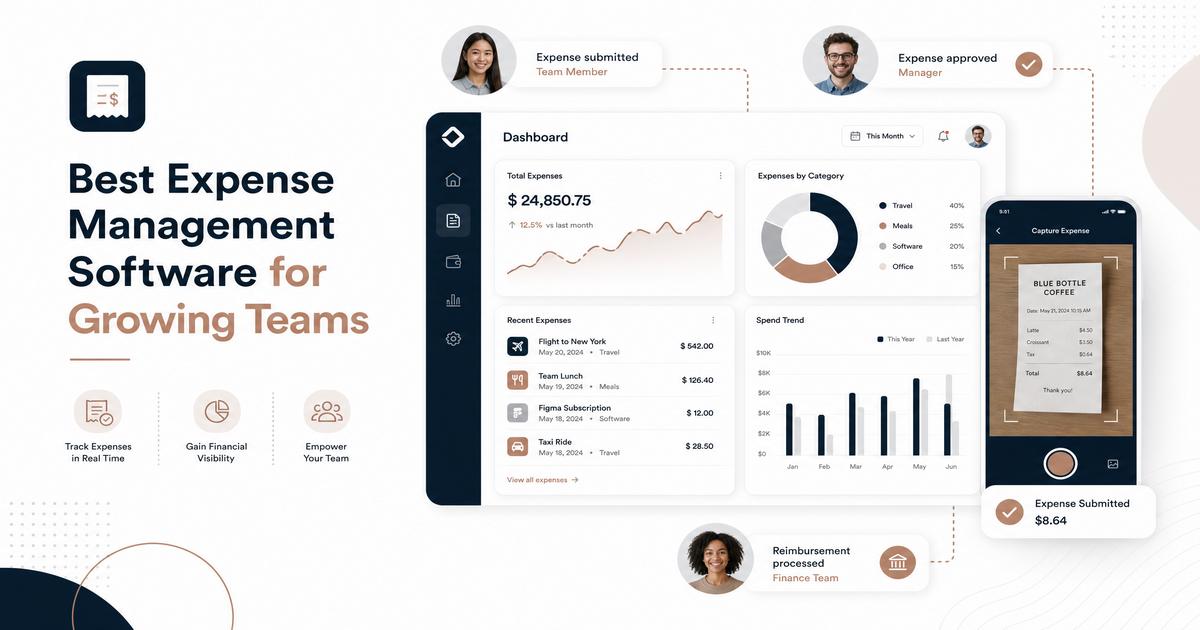
- Automated Receipt Capture: Employees can easily snap photos of receipts using mobile apps, and the software uses Optical Character Recognition (OCR) to extract relevant data like merchant, date, and amount.
- Expense Report Generation: Automatically compiles individual expenses into comprehensive reports, often pre-populating fields and categorizing transactions.
- Approval Workflows: Routes expense reports through customizable approval hierarchies, ensuring compliance with company policies before reimbursement.
- Policy Enforcement: Allows businesses to set spending limits and rules, flagging or even blocking out-of-policy purchases in real-time.
- Reimbursement Processing: Facilitates quick and accurate reimbursement to employees, often integrating with payroll or banking systems.
- Accounting Integration: Seamlessly syncs expense data with existing accounting software (e.g., QuickBooks, Xero, SAP) to simplify reconciliation and financial reporting.
By automating these tasks, expense management software significantly reduces administrative burden, minimizes errors, and provides finance teams with actionable insights into spending patterns.
Key Features to Look For in Expense Management Software
Choosing the right expense management software involves evaluating a range of features that align with your team’s specific needs and growth trajectory. Here are the essential capabilities to prioritize:
Automated Receipt Capture and OCR
The ability to effortlessly capture receipts and automatically extract data is fundamental. Look for solutions with robust OCR technology that accurately reads and categorizes information, minimizing manual data entry and saving significant time for employees and finance teams.
Policy Enforcement and Approval Workflows
Effective software allows you to define and enforce spending policies proactively. This includes setting limits, blocking certain merchant categories, and requiring pre-approvals for larger expenses. Customizable, multi-level approval workflows ensure that expenses are reviewed by the appropriate managers based on amount, department, or expense type, preventing out-of-policy spending before it occurs.
Real-time Spending Visibility and Reporting
Access to real-time data is invaluable for growing teams. Dashboards that provide an immediate overview of who is spending what, where budgets stand, and which categories are accumulating costs enable informed decision-making and proactive cost control. Comprehensive reporting capabilities are crucial for financial analysis, auditing, and tax preparation.
Corporate Cards and Virtual Cards
Many modern solutions integrate with corporate cards, offering built-in spend controls and automated receipt matching. Virtual cards are particularly useful for subscriptions and one-time vendor payments, allowing for specific limits and expiration dates, further enhancing control and security.
Seamless Accounting and ERP Integrations
To avoid data silos and manual reconciliation, ensure the software integrates smoothly with your existing accounting system (e.g., QuickBooks, Xero, NetSuite, SAP). This ensures that all expense data flows directly into your financial records, simplifying month-end close and maintaining accurate books.
Mobile Accessibility
Given that employees often incur expenses on the go, a user-friendly mobile app is essential. It should allow for easy receipt capture, expense submission, and approval from anywhere, even offline, syncing data once connectivity is restored.
Best Expense Management Software for Growing Teams
Here’s a list of top expense management software solutions, each offering unique strengths suitable for growing teams:
1. Ramp
Ramp positions itself as a comprehensive finance platform that goes beyond just expense management, focusing on helping businesses save money. It combines corporate cards, expense management, and automated accounting into a single system.
- Key Features: Real-time spend reporting, AI-powered insights for cost reduction, integrated corporate charge cards with built-in spend controls, automated receipt generation and categorization, policy enforcement before spending occurs.
- Pros: Strong emphasis on cost savings and spend optimization, unlimited free tier available, intuitive user interface, robust automation.
- Pricing: Starts at $0/month for basic features, with Ramp Plus at $15 per user/month for additional functionalities. Enterprise pricing is also available.
2. Expensify
Expensify is renowned for its user-friendly interface and powerful SmartScan technology, which automates receipt capture and expense reporting. It’s a popular choice for businesses seeking simplicity and efficiency in expense tracking.
- Key Features: SmartScan for automatic receipt capture, customizable approval workflows, all-in-one finance platform (bill pay, invoicing, spend tracking), advanced mileage tracking, integrations with major accounting systems.
- Pros: Exceptional ease of use, highly effective receipt scanning, free tier for individuals, strong mobile app.
- Pricing: Free for individuals. For teams, Collect plan starts at $5 per user/month, and Control plan at $9 per user/month.
3. Brex
Brex primarily targets startups and tech companies, offering corporate cards with integrated expense management. Its credit lines are based on company financials, making it attractive for venture-backed businesses, and it emphasizes AI-driven compliance.
- Key Features: Free plan for startups, AI-powered compliance enforcement, virtual corporate cards, real-time expense tracking and categorization.
- Pros: Cost-effective for startups with a free entry-level plan, strong focus on policy compliance, easy issuance of virtual cards.
- Pricing: Offers a free Essentials plan for startups. Premium plans start at $12 per user/month.
4. Zoho Expense
Part of the broader Zoho ecosystem, Zoho Expense provides an affordable and comprehensive solution for small to mid-sized businesses. It’s particularly appealing for companies already utilizing other Zoho products.
- Key Features: Automated receipt scanning (OCR), real-time expense tracking, customizable approval workflows, mileage and per diem tracking, seamless integrations with Zoho Books, QuickBooks, and Xero.
- Pros: Very affordable with a free plan for up to 3 users, strong integration with the Zoho suite, easy to set up and use.
- Pricing: Free for up to 3 users. Standard plan at $4 per user/month, Premium plan at $6 per user/month.
5. SAP Concur
SAP Concur is a long-standing leader in enterprise expense management, offering robust solutions for large organizations with complex travel and expense requirements. It provides deep integration with SAP’s broader ERP ecosystem.
- Key Features: End-to-end travel and expense management, deep integration with SAP ERP and third-party accounting software, automated policy enforcement and audit tools, multi-currency and multi-entity support, mobile app for on-the-go management.
- Pros: Comprehensive solution for complex T&E needs, strong compliance and audit capabilities, robust reporting.
- Pricing: Pricing is typically quote-based, with plans starting around $9 per report for the Standard tier.
6. BILL Spend & Expense (formerly Divvy)
BILL Spend & Expense combines corporate cards with expense management, offering real-time visibility and control over company spending. It’s known for its cashback rewards program and budgeting features.
- Key Features: Customizable budgets with spending limits, physical and virtual corporate cards, digital receipt management, custom spending rules, cashback rewards program.
- Pros: Free to use, strong budgeting tools, attractive cashback rewards, real-time expense tracking.
- Pricing: Free to use, as it generates revenue from interchange fees on card transactions.
How to Choose the Right Expense Management Software
Selecting the ideal expense management software requires a careful assessment of your business’s unique needs and future growth. Consider the following factors:
Company Size and Complexity
A small startup will have different requirements than a rapidly growing mid-sized company. Smaller teams might prioritize ease of use and affordability, while larger, more complex organizations will need robust approval hierarchies, advanced reporting, and multi-entity support.
Integration Requirements
Evaluate how well the software integrates with your existing tech stack, particularly your accounting, payroll, and ERP systems. Seamless integration is crucial for avoiding manual data transfers and ensuring data accuracy.
Ease of Use and Employee Adoption
The best software is one that employees will actually use. A clunky interface or a frustrating mobile app can lead to low adoption rates and a return to inefficient manual processes. Look for intuitive designs and positive user reviews regarding usability.
Automation Capabilities
Assess the depth of automation offered. While basic tools provide receipt scanning, more advanced platforms offer intelligent categorization, duplicate detection, and anomaly flagging. Greater automation translates to less manual work for your finance team.
Pricing and Total Cost of Ownership
Understand the pricing model (per user, per report, flat fee, or free with card usage) and look out for hidden costs like implementation fees or integration charges. Consider the total cost of ownership, including potential savings from increased efficiency and reduced errors.
Conclusion
For growing teams, investing in the right expense management software is not just about streamlining processes; it’s about empowering financial control, ensuring compliance, and fostering sustainable growth. The market offers a diverse range of solutions, from cost-saving platforms like Ramp to user-friendly options like Expensify, and enterprise-grade systems like SAP Concur.
By carefully evaluating your team’s specific needs, considering key features such as automated receipt capture, robust policy enforcement, real-time visibility, and seamless integrations, you can select a solution that transforms your expense management from a tedious chore into a strategic advantage. Embrace automation to free up your team’s time, reduce financial discrepancies, and gain the insights needed to make smarter spending decisions.
Ready to optimize your financial operations? Explore the recommended expense management software solutions today and take the first step towards a more efficient and controlled spending environment for your growing team.